
Chrome (64-bit): fast Chromium browser with deep Google integration
Renders complex web apps and multimedia quickly using the V8 engine and a multi-process sandbox, giving stability for tabs and plugins. Google LLC builds this Windows-ready browser around cross-device sync and the Chrome Web Store, offering extensions, Safe Browsing, and Incognito browsing. The tool targets everyday users who want compatibility with Google Workspace and developers who need modern web-standard support and developer tools for diagnostics and testing.
Top Recommended Alternative

What is Chrome used for?
Chrome is aimed at general browsing, web apps, and productivity workflows that tie into Google services. It integrates with Gmail, Drive, and Docs, and the omnibox combines address and search entry with real-time suggestions. The browser's 64-bit build for Windows optimizes graphics and stability on modern processors, which suits users who run multimedia sites, web-based editors, and complex single-page applications.
How much RAM does Chrome use and how it manages tabs?
Chrome uses a multi-process architecture that isolates tabs through sandboxing, which prevents a single page crash from stopping the whole browser. That design increases memory per tab compared with single-process browsers, but it preserves stability. Performance tools such as Memory Saver and Energy Saver are included to reduce resource use under heavy tab loads and long browsing sessions on desktop machines.
Does Chrome limit tracking and how does it handle privacy?
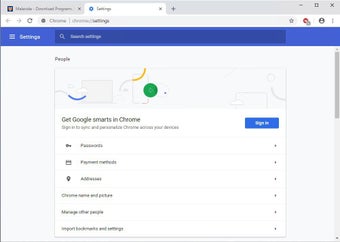
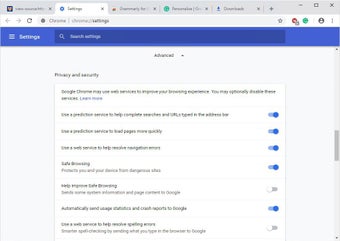
Chrome provides Safe Browsing to warn about dangerous sites and an Incognito mode that prevents local history and cookies from being saved. Incognito does not hide activity from networks or service providers, and Safe Browsing runs by default to flag risky downloads or pages. The browser's integration with a Google Account is the mechanism used for cross-device sync of bookmarks and passwords.
Does Chrome support extensions and developer workflows?
The Chrome Web Store offers a broad extension library and themes to extend functionality; that access supports ad blockers, password managers, and developer tools. Chrome includes built-in developer tools for inspecting DOM, network activity, and performance profiles, which assists developers testing web standards and debugging JavaScript backed by the V8 engine used for fast script execution.
Clear choice for users tied to Google services, with a memory trade-off
Chrome suits users who prioritize compatibility with Google Workspace, access to a large extension ecosystem, and developer-grade debugging tools. The sandboxed, multi-process model improves stability at the expense of higher memory use when many tabs run. For daily use, separate profiles for work and personal browsing helps keep extensions and cookies distinct, and it makes managing multiple signed-in accounts simpler.